agen777Android & iOS App
We offer agen777 across mobile app and browser paths so you can access football markets, live-dealer tables, and slot games from Android, iOS, or web without installing software. Each method has different trade-offs: apps offer faster load times and offline features, while browsers require no installation and work on any device with an internet connection.

- StartFirst Game
- SHA256 Match
- Update
- LoginOTP Verification
Our agen777 app is designed for users in supported jurisdictions where online gaming and sportsbook services are legal. You can download the Android APK directly from our site, access iOS through a web wrapper, or use our responsive web platform from any browser. All three paths connect to the same account, payment methods, and game library.
Getting started with agen777 takes a few minutes: download or open the app, create an account, verify your email and mobile number, deposit using DANA, e-wallet, mobile banking, local payment, or bank transfer, and begin selecting on Liga 1, Piala AFF, Champions League, live blackjack, roulette, Aviator, or esports markets. This page explains each installation path, common setup issues, and how app and browser compare.
Our agen777 mobile app and browser options
Download and install agen777
We provide three ways to access agen777: Android APK download, iOS web app, and responsive web browser. The Android APK is a direct installer file you download to your device; no app store approval is required, so we can push updates quickly. iOS users can access agen777 through a mobile-optimized web wrapper that functions like an app without requiring App Store installation. Web users open agen777.app in any browser on any device with internet access.

Installation paths explained
Android APK: Download directly from our site. Fast, offline-capable, push notifications. Requires enabling unknown sources in security settings.
iOS web app: Open in Safari or Chrome, add to home screen. Works like an app but lives in the browser. No installation step required.
Web browser: Open agen777.app in Chrome, Firefox, Safari, or Edge on any device. Slowest load but most portable; no installation needed.
-
Download agen777
Get the APK file from our download page or open agen777.app in your browser.
-
Install or add to home screen
For Android, tap the APK file and confirm installation. For iOS, tap Share and select Add to Home Screen.
-
Create your agen777 account
Enter username, email, password, and mobile number. Verify your email and mobile with a code we send.
-
Deposit and start selecting
Choose a payment method such as DANA, e-wallet, mobile banking, or local payment. Deposit and access football, live dealer, slots, and esports markets.
agen777 services are available only where local law permits.
Verify that online gaming and sportsbook services are legal in your jurisdiction before creating an account on agen777.
agen777 app versus browser: strengths and trade-offs
Our agen777 app (Android APK) loads faster because it caches game data locally and uses offline storage. The app also sends push notifications when events start, prices update, or withdrawals complete. App users on Android 7 and above experience smoother transitions between markets and can access full feature sets without relying on browser capabilities. However, the app requires installation and takes up device storage.
The agen777 web browser requires no installation and works on any device with a modern browser and internet connection. You can access agen777 from public computers, borrowed devices, or tablets without downloading anything. Load times are slightly slower because each page request travels over the internet, and you will not receive push notifications. Browser access is ideal if you change devices frequently or prefer not to install software. Web also works across Windows, macOS, Android, and iOS with no platform-specific setup.
Device compatibility for agen777
Our agen777 Android app requires Android 7.0 and above. Most devices from 2016 onwards meet this requirement. iOS users can access agen777 through Safari or Chrome on iOS 12 and above; we do not offer a native iOS app but the web wrapper functions identically. For browsers, we recommend Chrome, Firefox, Safari, or Edge on their latest versions. Older browsers may have compatibility issues with our encryption or responsive layout. If you are using an older device or browser, try our web platform or upgrade your browser.
Common installation issues on agen777
Android users may see a security warning when trying to install the APK because we do not publish through the Google Play Store. This is normal. To proceed, open your device Settings → Security, enable "Unknown sources" or "Install from unknown sources," then tap the APK file again. After installation, you can disable unknown sources if you prefer. If you see a certificate trust error, your device may have an outdated system clock or missing security updates. Set your device date and time to automatic, then try again. For iOS users trying to add agen777 to the home screen, ensure you are using Safari. Chrome can open agen777 but does not support home screen shortcuts. If the home screen icon does not launch the full app, clear your browser cache and try again.
Data, permissions, and account security on agen777
When you install our agen777 app, we request permissions to store data locally, send notifications, and access your device's internet connection. We do not access your camera, microphone, contacts, or file system. The app stores your session token locally so you remain logged in between sessions; logging out clears this token. We encrypt all data sent between your device and our servers using HTTPS. Your password is never stored on your device—only an encrypted session token. If you sell or donate your device, use the Android Settings to uninstall agen777 or clear app data. You can also log out remotely through your account settings on agen777 if you lose your device. For added security, enable two-factor authentication through your account settings once you create your agen777 account.
Access agen777 football markets, live dealer, slots, and esports from any device where local law permits.
Payment methods on our agen777 app
We support deposits and withdrawals through online payment, e-wallet, mobile banking, local payment, online payment, e-wallet, and bank transfers from mobile banking, local payment, online payment, and e-wallet. All payment methods are available on the Android app, iOS web wrapper, and web browser. Deposits are processed immediately in most cases. Withdrawals to e-wallets typically complete within one business day; bank transfers may take up to two business days depending on your bank. We do not charge withdrawal fees. You can change your registered payment method in your account settings at any time. For large transactions, we may request additional verification such as a bank statement or government ID to comply with financial regulations.
Playing football, live dealer, and slots on agen777
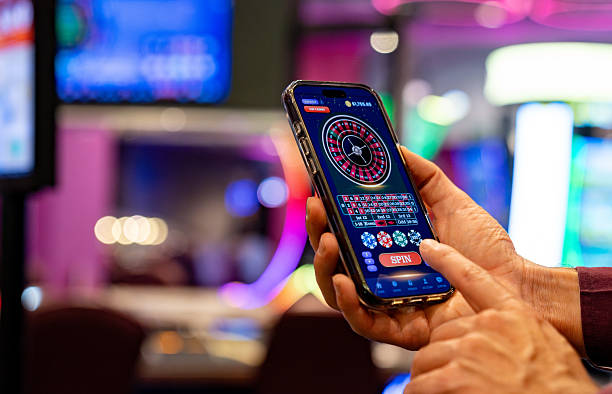
Once you deposit on agen777, you can access sportsbook markets on Liga 1Piala AFFChampions Leagueand other leagues. Live-dealer tables include blackjack, roulette, baccarat, and Dragon Tiger with real dealers. Slot games such as Aviator, Sweet Bonanza, and Gates of Olympus run directly in the app or browser. Esports markets cover Mobile Legends, Free Fire, and PUBG Mobile tournaments. All selections and account history sync across app and web—start on the app, continue on the browser, and your account always reflects your current balance and transaction history.
Support and account help on agen777
If you experience installation issues, login problems, or have questions about deposits and withdrawals, contact our support team through the Help section in your agen777 account. We respond to email inquiries within standard business hours. For urgent issues such as account access or unauthorized transactions, reach out immediately and include your username and the details of the problem. We also provide account recovery options if you forget your password: enter your email address on the login page, and we will send a reset link to your registered email. Verify your account through the recovery process, and you can set a new password and log in again.